
Install and open Tuxpi Studio
Your download should start automatically. If it doesn’t, you can download it manually.
-
Step 1
Open
Open TuxpiStudio-1.1.9-macos-arm64.dmg from your Downloads folder.
-
Step 2
Install
Drag Tuxpi Studio into the Applications folder.
-
Step 3
Launch
Open Tuxpi Studio from your Applications folder or with Spotlight. If macOS asks whether you’re sure, click Open.

How to start your free trial
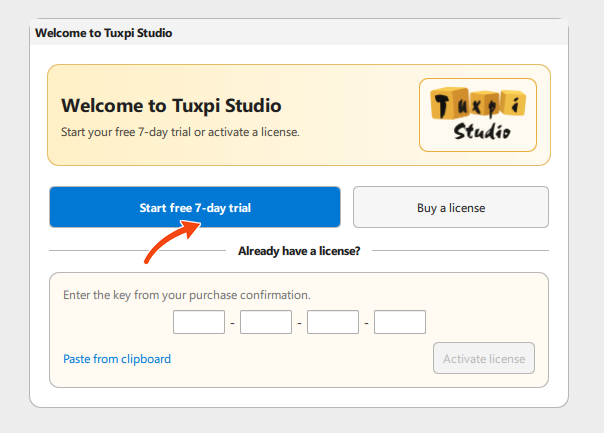
When Studio opens, select Start free 7-day trial. Already purchased? Enter your license key and select Activate license instead.
You can uninstall at any time
Quit Tuxpi Studio, open your Applications folder in the Finder, and drag Tuxpi Studio to the Trash.